Map Your Customer Journey Without Coding
Our intuitive drag-and-drop workflow builder lets you create complex, conditional, and highly personalized automation sequences in minutes, not months. See exactly where your leads are going, visually.
The End of Clunky, Confusing Automations
For years, setting up business automations felt like programming a VCR. You had to rely on complex, text-based rules, disjointed "Zaps," and a prayer that everything fired in the right order. When something broke, you had to sift through lines of logic to figure out where the lead fell out of the funnel. It was a chaotic, frustrating experience that left most business owners feeling overwhelmed and reliant on expensive developers or specialized "automation experts" just to send a welcome email.
The old way of doing things meant building linear paths. If a lead did Action A, they received Email B. But human behavior isn't linear. Leads open emails but don't click. They click but don't buy. They reply to texts but ignore voicemails. Trying to map these complex, multi-dimensional human interactions onto a flat, linear automation tool resulted in broken customer experiences and lost revenue.
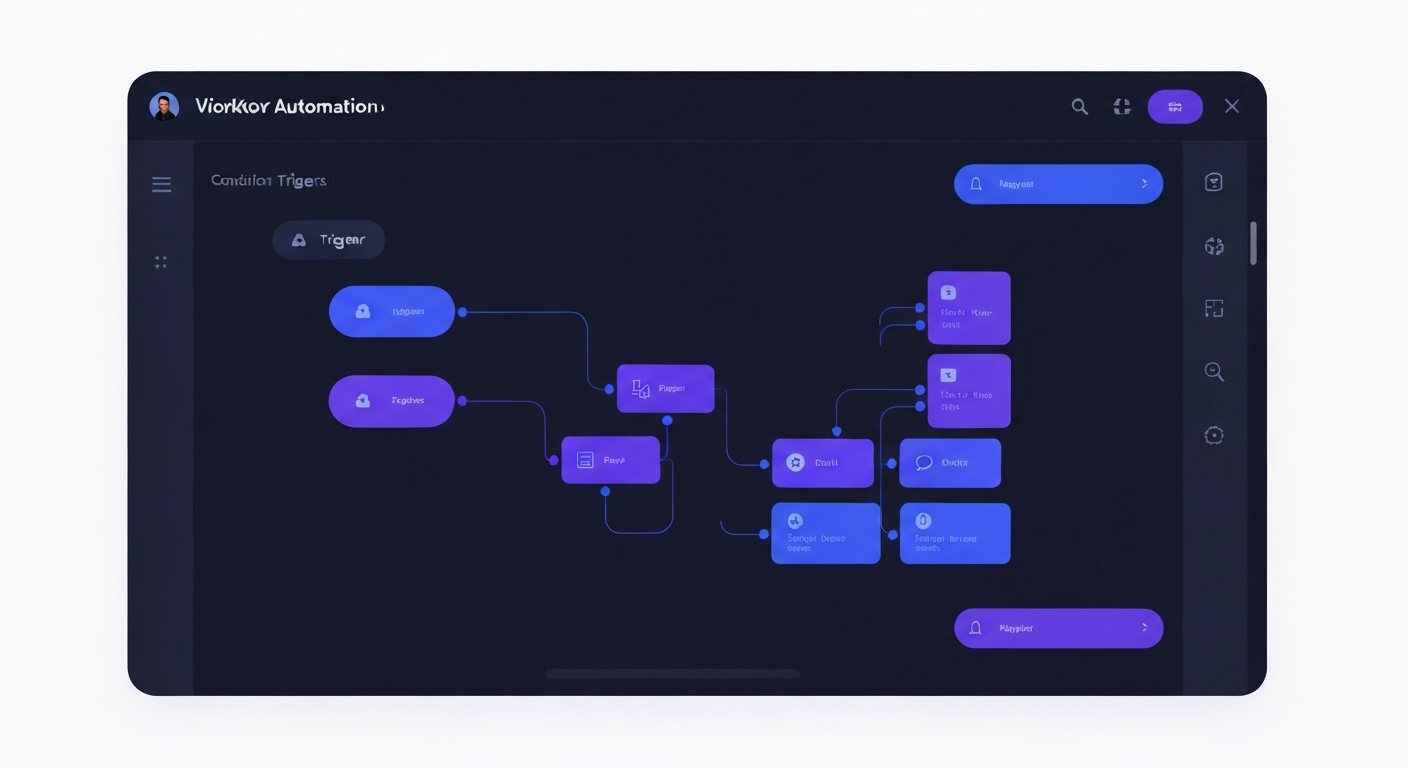
Bring On The Leads (BOTL) changes everything. With our Visual Workflow Builder, you can actually see the path your customer takes. You build automations by dragging and dropping elements onto an infinite canvas, connecting them with visual lines, and branching them based on real-time behavior. It is as simple as drawing a flowchart on a whiteboard, but with the power of an enterprise-grade marketing engine behind it.
Whether you are building a simple 3-step welcome email sequence or a massive, 90-day multi-channel nurturing campaign with dozens of conditional splits, you have complete visibility and control over the entire process. You can zoom out to see the big picture, or zoom in to tweak the exact wording of a text message sent on Day 43. Total clarity, zero confusion.
Deep Dive: The Infinite Visual Canvas
The core of the BOTL automation experience is the Infinite Visual Canvas. Unlike traditional list-based automation tools where you scroll endlessly through text rules, our canvas allows you to map out your entire customer journey geographically. You can pan, zoom, and organize your workflow steps exactly how your brain visualizes them.
Every action, trigger, and condition is represented by a distinct, color-coded node. Want to add an email? Drag the email node onto the canvas. Need to wait three days? Drop a wait timer node. Want to send an SMS if they didn't open the email? Add a condition node and branch the path. The visual lines connecting these nodes make it instantly clear how a prospect flows from one step to the next.
This visual approach isn't just about aesthetics; it fundamentally changes how you design marketing campaigns. When you can see the gaps in your follow-up, you can fix them. When you can see a dead-end where leads are getting stuck, you can build a bridge. The canvas turns abstract marketing strategy into a tangible, interactive map that your entire team can understand at a glance.
Deep Dive: Advanced "If/Else" Logic
Treating every lead exactly the same is the fastest way to burn your list and destroy your conversion rates. Modern consumers expect personalized experiences that react to their specific behaviors. The BOTL Visual Builder makes this hyper-personalization effortless through advanced "If/Else" branching logic.
With our condition nodes, you can split your workflow based on virtually any data point or behavior. Did the lead click the link in yesterday's email? If yes, send them to the "Hot Lead" pipeline stage and notify the sales team. If no, send a gentle SMS reminder. Are they tagged as a "Past Customer"? Route them down the VIP upsell path. Is their custom field for "Budget" over $10,000? Fast-track them to a calendar booking page.
The possibilities are truly limitless. You can nest conditions within conditions, creating highly sophisticated decision trees that mimic the nuance of a real human sales rep. And because it's all visual, you'll never get lost in the logic. You can clearly trace the "Yes" and "No" paths, ensuring that every possible scenario is accounted for and optimized.
- Branch by tags, custom fields, or lead source
- Branch by email open, click, or reply activity
- Branch by pipeline stage or opportunity value
- Branch by date, time of day, or day of the week
Deep Dive: The Omnichannel Advantage
In the past, you needed one tool for email automation, another tool for SMS marketing, a third tool for ringless voicemails, and a fourth tool to try and stitch them all together. This fragmentation led to disjointed campaigns where a lead might receive an email, a text, and a voicemail all at the exact same second—making your business look robotic and desperate.
The BOTL Visual Builder natively supports true omnichannel automation. Within a single workflow canvas, you can seamlessly weave together emails, two-way SMS messages, ringless voicemail drops, Facebook Messenger DMs, Instagram DMs, and even Google Business Profile chats.
This allows you to orchestrate communication like a symphony. You can send an email on Day 1. Wait two days. If they didn't reply, drop a ringless voicemail on Day 3. Wait four hours, then send a casual SMS following up on the voicemail. This multi-touch, multi-channel approach drastically increases your contact rates because you are reaching prospects on the platforms they prefer, at the times they are most likely to engage, without overwhelming them.
Deep Dive: Goal-Based Exits & Safety Nets
There is nothing more embarrassing—or damaging to your brand—than sending a promotional "Don't forget to book!" email to a lead who already booked an appointment with you three days ago. Or worse, continuing to send aggressive sales texts to a prospect who already replied asking a specific question.
To protect your reputation, the BOTL Visual Builder includes powerful "Goal-Based Exits" and safety nets. You can define specific goals for any workflow—such as "Replied to an SMS," "Booked an Appointment," or "Purchased a Product." The moment a lead achieves that goal, the system instantly and automatically pulls them out of the workflow, regardless of how many steps are left.
This "Stop on Response" logic ensures that your automated follow-ups immediately cease the second a real human interaction is required. The lead is seamlessly transitioned from an automated sequence into a live conversation in your Unified Inbox, allowing your sales team to take over without missing a beat or looking foolish. It is the perfect blend of relentless automated persistence and intelligent human handover.
How Industries Leverage the Visual Builder
Real Estate
A real estate agent sets up a "New Buyer Lead" workflow. When a lead comes in from Zillow, the visual builder immediately sends an intro SMS. It then hits a "Wait for Reply" step. If the lead replies, the system notifies the agent and moves the lead to the "Engaged" pipeline stage. If they don't reply within 15 minutes, it triggers an automated ringless voicemail and queues up a 7-day email drip campaign. All of this is mapped out on a single, easy-to-read canvas.
Home Services
A roofing company uses the visual builder to handle post-estimate follow-ups. Once an estimate is sent, the workflow waits 2 days. It then checks a condition: "Did they sign the proposal?" If yes, it triggers the "Job Scheduled" onboarding path. If no, it sends a text offering to answer any questions. If another 3 days pass without action, it automatically alerts the sales rep to make a manual phone call, ensuring no quote is ever forgotten.
Fitness & Gyms
A gym owner creates an "Intro Session No-Show" reactivation sequence. If a prospect books a session but the "Attended" tag isn't applied within 2 hours of the class, the workflow splits. It sends a gentle "Sorry we missed you!" text with a link to reschedule. If they click the link, they get a confirmation. If they ignore it, they are added to a long-term monthly newsletter list automatically to keep the brand top-of-mind.
Marketing Agencies
Agencies use the visual builder to create complex "Snapshot" templates for their clients. An agency can build a master "Lead Nurture" workflow complete with Facebook Lead Ad triggers, internal notifications to the client's sales team, and conditional routing based on lead value. They can then instantly deploy this entire visual workflow into dozens of client sub-accounts with a single click, proving immediate ROI.
Frequently Asked Questions
Everything you need to know about the BOTL Visual Workflow Builder.
Ready to see the Visual Builder in action?
Stop guessing what your automations are doing. Get complete clarity and control over your customer journey today.
Book a Demo