A CRM that helps you actually follow up
Most CRMs are just a database with a nice UI. Ours tracks every conversation, reminds you when to follow up, and shows you exactly where every deal stands — so leads stop falling through the cracks.
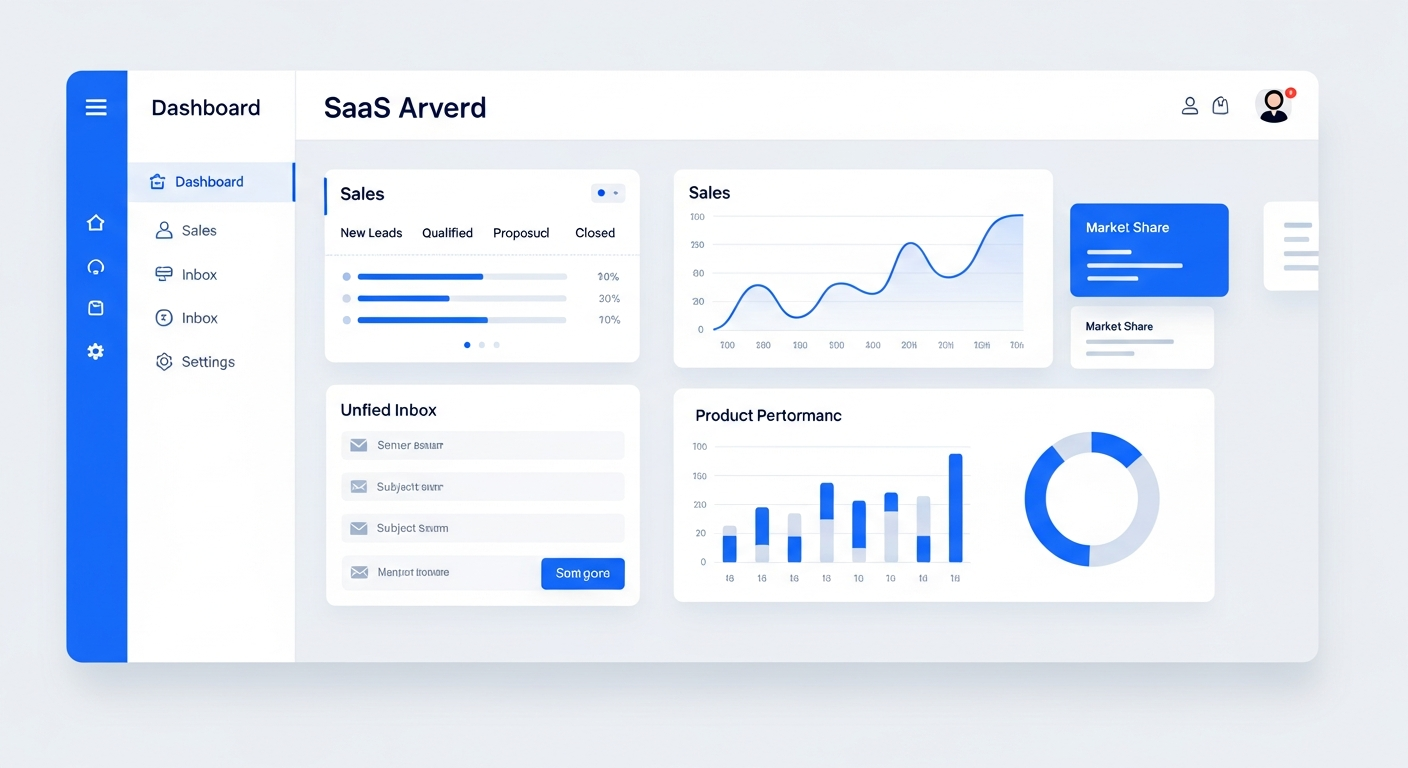
Bring On The Leads gives small businesses a CRM that combines contact management, deal tracking, and automated follow-up in one place. Every lead, customer, and conversation lives in a single record. You can see where every deal stands, get reminders when it's time to follow up, and automate the repetitive tasks that usually get skipped — all without juggling separate tools.
Your CRM shouldn't be a graveyard for leads
Too many businesses pay for a CRM that nobody uses because it's just a place to store names. The real problem isn't storing data — it's making sure every lead gets followed up with consistently.
Leads go in, nothing comes out
You enter a lead, assign it to a rep, and then... nothing. There's no reminder, no automation, no visibility into whether anyone actually called.
Pipeline is a guessing game
You can't see which deals are stalled, which are close to closing, or which have been sitting in the same stage for three weeks.
Conversations are scattered
One rep emails a lead, another texts them, and nobody knows what the other said. There's no single thread showing the full history.
Who this is for
- Small business owners managing their own sales pipeline and follow-up
- Sales teams that need visibility into every deal without a complicated enterprise CRM
- Service businesses (HVAC, dental, legal, real estate) that need to track leads from inquiry to booking
- Agencies managing multiple clients' leads and pipelines in one system
How the BOTL CRM works
Every lead lands in one place
Whether a lead fills out a form on your website, sends a Facebook DM, calls your office, or replies to an email — they all create a contact record in your CRM automatically. No manual data entry.
Drag-and-drop pipeline shows every deal
Move deals through stages by dragging them across your screen. You can see at a glance which deals are new, which need attention, and which are about to close. Create custom pipelines for different services or teams.
Automated follow-up reminders
Set rules that remind your team to call a lead after a certain number of days with no contact. If they don't follow up, the system escalates. No more relying on memory or sticky notes.
Full conversation history per contact
Every email, text, call log, and chat message is attached to the contact record. Anyone on your team can pick up where the last person left off without asking 'what did we already say?'
The pipeline view shows every deal, its value, and how long it's been in each stage.
What makes this work
Custom pipelines & stages
Build pipelines that match your actual sales process — not a generic template. Different pipelines for different services.
Learn moreRevenue tracking per deal
See the dollar value of every deal in your pipeline and forecast revenue based on what's likely to close.
Learn moreCustom fields for any data
Track exactly what matters to your business — service type, property address, insurance provider, project size.
Learn moreCall logging
Log calls automatically and attach recordings to contact records so you always have context.
Learn moreEmail sync
Send and receive email from inside the CRM. Every message is logged to the contact automatically.
Learn moreAppointment booking
Let leads book appointments directly into your calendar from the CRM. Syncs with Google and Outlook.
Learn moreHow we get you started
We don't hand you a login and walk away. Here's what happens after you sign up.
Onboarding call
We learn your sales process, lead sources, and pipeline stages. Then we map your existing workflow into the CRM.
We build your pipeline
We set up your custom pipelines, import your contacts, connect your lead sources, and build your first follow-up automations.
Team training
We walk your team through the CRM, inbox, and pipeline so everyone knows how to use it from day one.
Ongoing support
Need a new pipeline, a new automation, or a custom field? We handle it — you don't have to figure it out alone.
Why a CRM with built-in follow-up matters
Research from Harvard Business Review found that companies that contact leads within an hour of receiving an inquiry are 7x more likely to qualify the lead than those that wait longer. A CRM that stores data but doesn't drive follow-up is just an expensive address book. The BOTL CRM is built around the follow-up — every feature exists to make sure leads get contacted quickly and consistently.
Questions buyers ask before choosing BOTL
What is a CRM and how does BOTL's CRM work?
A CRM (customer relationship manager) stores every contact, deal, and conversation in one record. BOTL's CRM combines contact management with a drag-and-drop pipeline, automated follow-up reminders, and full conversation history — so leads don't sit in a database, they get contacted.
Every lead from your website, ads, phone calls, and social DMs creates a contact record automatically. You see where every deal stands, how long it's been in each stage, and what the next action is.
How does BOTL stop leads from falling through the cracks?
The CRM sends automated reminders when a lead hasn't been contacted within a set number of days. If the assigned rep doesn't follow up, the system escalates. Every email, text, call, and chat message is logged to the contact record so anyone on your team can pick up where the last person left off.
Can I replace my current CRM with BOTL?
Yes. We help you export contacts, deals, and pipeline stages from your existing CRM and import them into BOTL during onboarding. Most migrations are completed within the first week, including rebuilding your email templates and automation workflows.
Who owns my contact data?
You do. Your contacts, deals, conversations, and custom data belong to your account. You can export your data at any time. There is no lock-in — you stay because of the value, not because of technical barriers.
Does the CRM include automated follow-up or is it just a database?
Automated follow-up is built in. You can build workflows that send texts, emails, or create tasks based on pipeline stage changes, time delays, or lead behavior. The CRM is designed around making sure leads get contacted — not just storing their names.
Can I track custom data specific to my industry?
Yes. You can create unlimited custom fields on contacts and deals — service type, property address, project size, insurance provider, or anything else. Custom fields are filterable, so you can segment your pipeline by any data point you track.
What does setup involve?
We handle setup for you. On a discovery call we learn your sales process, then we build your pipelines, import your contacts, connect your lead sources, and build your first follow-up automations. You start with a working system, not a blank account.
Frequently Asked Questions
Can I import my existing contacts?
Yes. We help you import contacts from spreadsheets, other CRMs, or your email during onboarding. Most imports are completed within the first day.
Does the CRM work on mobile?
Yes. The full CRM — including pipeline, contacts, and inbox — is accessible from any mobile browser. You can move deals, reply to messages, and log calls from your phone.
Can I have multiple pipelines?
Yes. You can create separate pipelines for different services, teams, or business lines. Each pipeline has its own stages and automation rules.
How is this different from Salesforce or HubSpot?
Those tools are built for large enterprises with dedicated admins. BOTL is built for small businesses that need a CRM they can actually use without a full-time CRM manager. We also set it up for you.
Can I track custom data specific to my industry?
Yes. You can create unlimited custom fields on contacts and deals — service type, property address, project size, insurance provider, or anything else you need to track.
Does the CRM include automated follow-up?
Yes. You can build workflows that automatically send texts, emails, or create tasks for your team based on pipeline stage changes, time delays, or lead behavior.
See it in action
Book a personalized demo and we'll show you exactly how this works for your business.
Book a Demo